
Arizona Department of Education Facebook Page

Arizona Department of Education LinkedIn Page

Arizona Department of Education Twitter

Arizona Department of Education YouTube

mobile menu
Arizona Department of Education Homepage
  • Home
  • Parents
    • Parents & Families
    • Arizona Purple Star School Program
    • Early Childhood & Preschool
    • Empowerment Scholarship Account
    • Military Career Information
    • School Report Cards
    • Transcripts & Test Scores
    • U.S. Senate Youth Scholarship Program
  • Educators & Administrators
    • Academic Standards
    • Accountability
    • Assessment
    • Business & Finance >
      • School Finance
      • State & Federal Grants
      • School Safety
    • Certification & Leadership >
      • Educator Certification
      • Educator Recruitment & Retention
      • Effective Teachers & Leaders (Trainings)
      • Training & Professional Development
    • Post-Secondary Resources
    • Support & Improvement
  • Programs
    • Academic Achievement >
      • Academic Achievement
      • Afterschool & 21st Century Learning Centers
      • Character Education
      • English Learners | OELAS & Migrant Education Program
      • Homeless, Foster Care, & Refugee Programs
      • Title I
    • Adult Education
    • Arizona Purple Star School Program
    • Career & Technical Education
    • Educator Leadership >
      • Charter School Program
      • Effective Teachers & Leaders
      • School Safety
    • Gifted/Advanced Learning >
      • Gifted/Advanced Learning
      • College Credit by Examination
      • Dual Enrollment
      • Gifted Education
    • Grants Management
    • Health & Nutrition Services
    • Office of Indian Education
    • Special Education
  • About ADE
    • About the Department
    • Accounting & Procurement
    • Agency Budget
    • Contact Us
    • Data Governance
    • Employment Opportunities
    • Information Technology
    • News Releases
    • Print Shop
    • State Board for Charter Schools
    • State Board of Education
    • Submit a Complaint
  • Data & Systems
    • ADEL (Arizona Digital Educators Library)
    • APLD (Professional Learning and Development)
    • Public Educator Search
    • School & Student Data
    • School Report Cards
    • Teacher Input Application (TIA)
  • ADEConnect
    • ADEConnect
    • Common Logon
  • Search
  • Home
  • Information Technology
  • ADE Help Desk

ADE Help Desk

ADE Help Desk

The Arizona Department of Education (ADE) Help Desk system is designed to provide efficient and transparent support for various technical and operational needs. This ticketing system allows you to submit requests and track their status, ensuring that inquiries are addressed promptly and effectively. Whether you need assistance with school finance, the Empowerment Scholarship Account (ESA) program, ADE technology solutions, or other ADE services, the Help Desk system streamlines communication and enhances the overall user experience. 


ADE Help Desk


After you create your ADEConnect account and try to access the Helpdesk (for the first time), you’ll be prompted to create a Helpdesk account.
There are three ways to register an ADEConnect account.

  1. Self Registration:  When an ADEConnect account is created via self-registration link.
  2. ESA:  When an ESA (ADEConnect) account is created.
  3. Certification: When a Certification (ADEConnect) account is created.


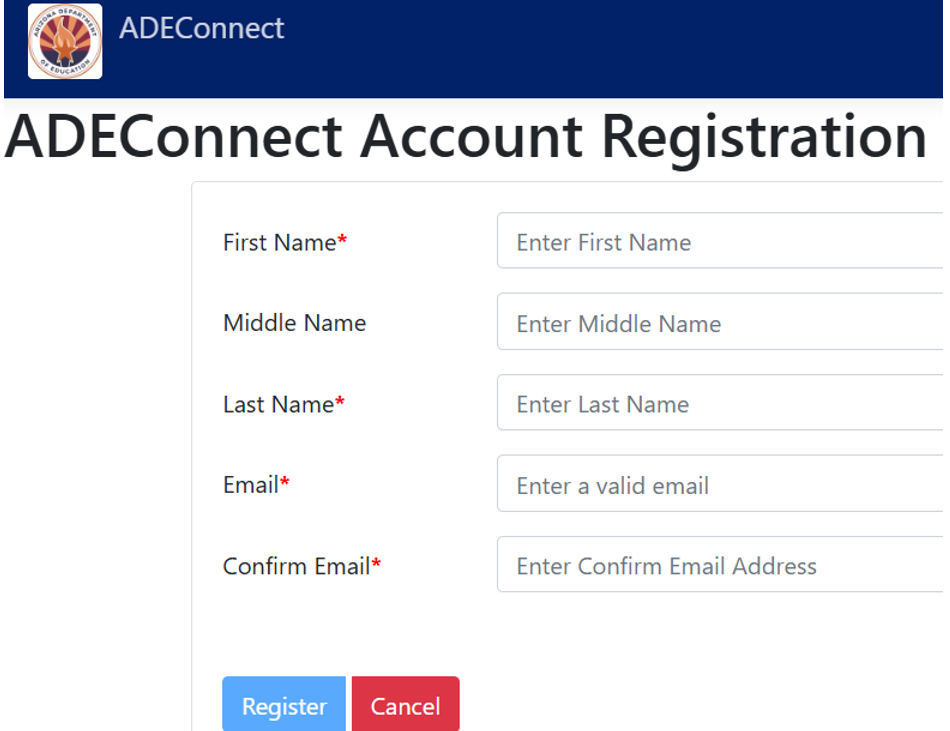
Option 1:
Self Registration

ADE Connect: When an ADEConnect account is created.
URL: https://adeconnect.azed.gov/Account/SelfRegistration/General

Guide01.png

Guide01


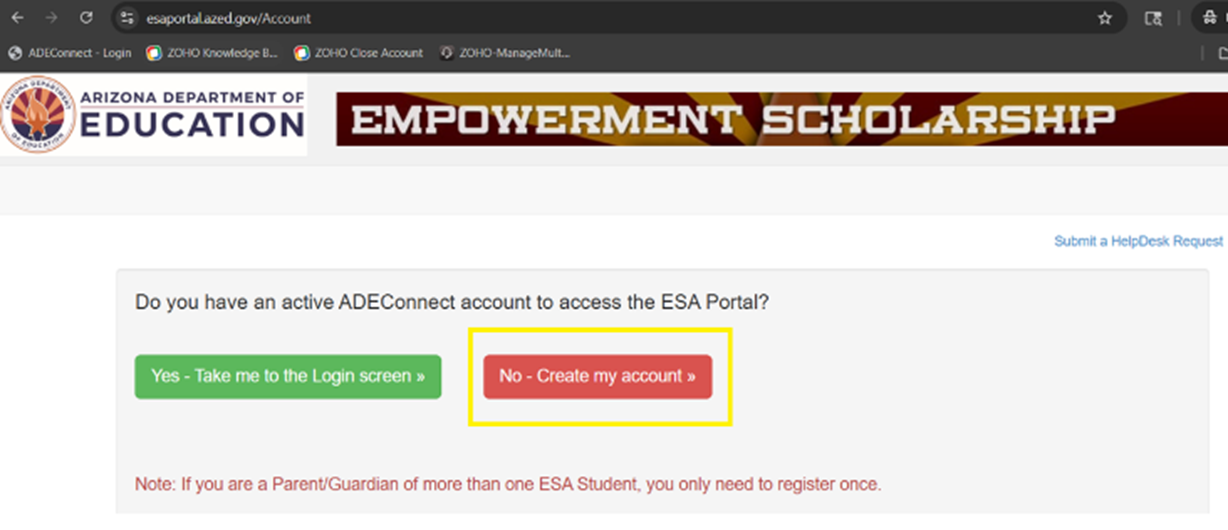
Option 2:

When an ESA (ADEConnect) account is created.
URL: https://esaportal.azed.gov/Account

Guide02.png

Guide02


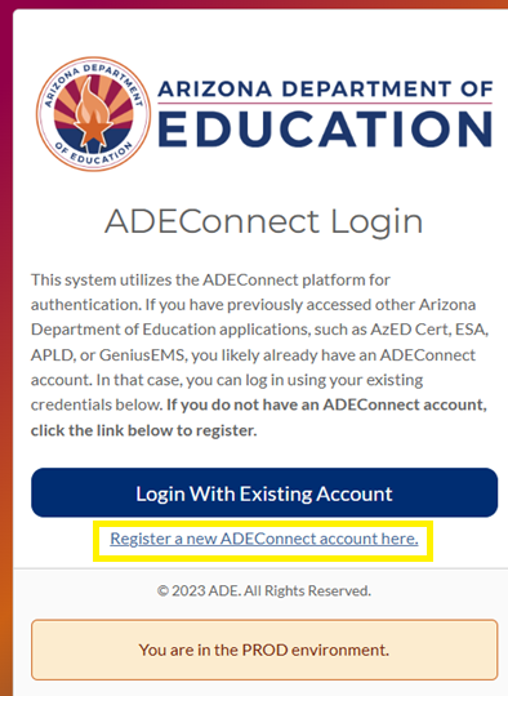
Option 3:

When a Certification (ADEConnect) account is created.
URL: https://mycert.azed.gov/launch/account

Guide04.png

Guide04

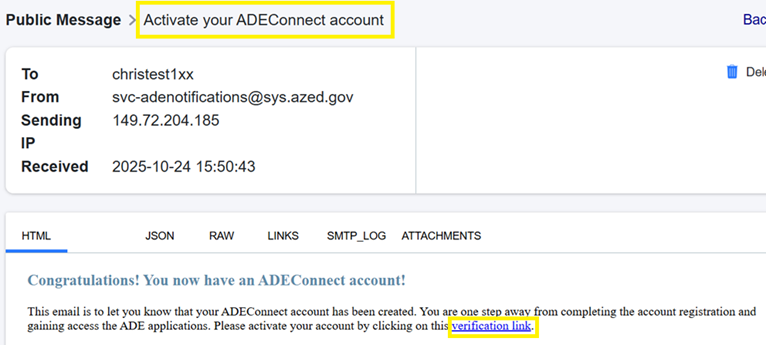
      After a Help Desk account is activated (using any of the options specified above), an email is sent with instructions to “Activate your ADEConnect account”.
      Click the "Verification Link" in the email

      Guide05.png

      Guide05


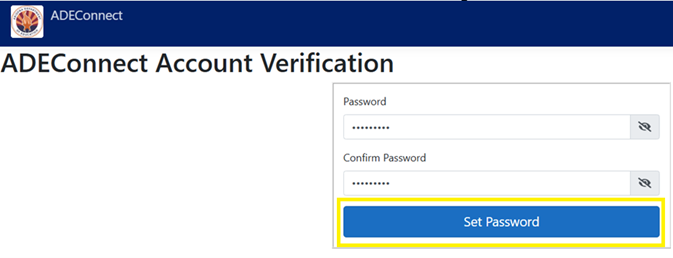
      Clicking the “verification link” loads a page where you can submit a password.
       

      Guide06.png

      Guide06


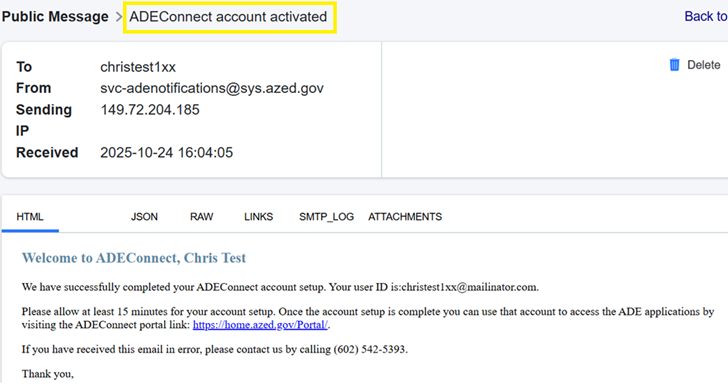
      Afterwards, you'll receive an email confirming account activation.
       

      Guide07.png

      Guide07
      •  

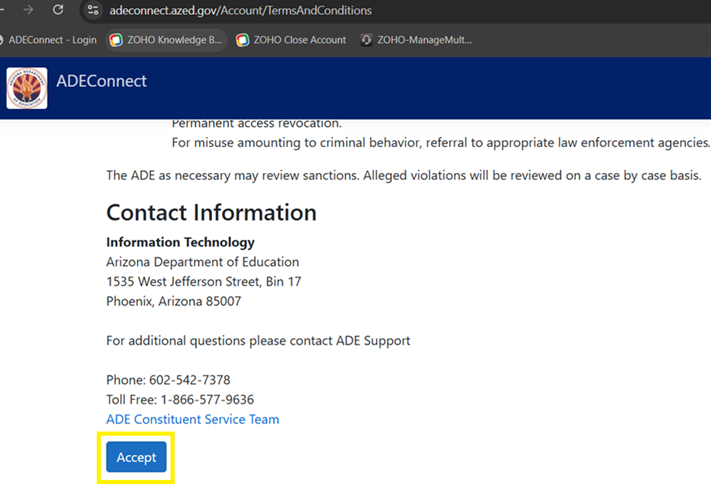
      Now... login ADEConnect and “Accept” the Use Policy.

      Guide08.png

      Guide08
      •  

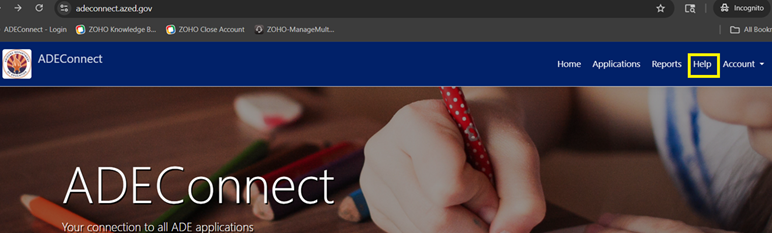
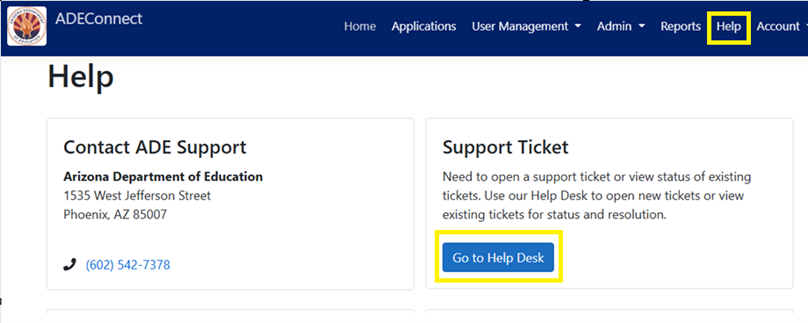
      After you accept the “Use Policy”... click the “Help” link (in ADECOnnect) then: “Go to Help Desk”

      Guide09.png

      Guide09


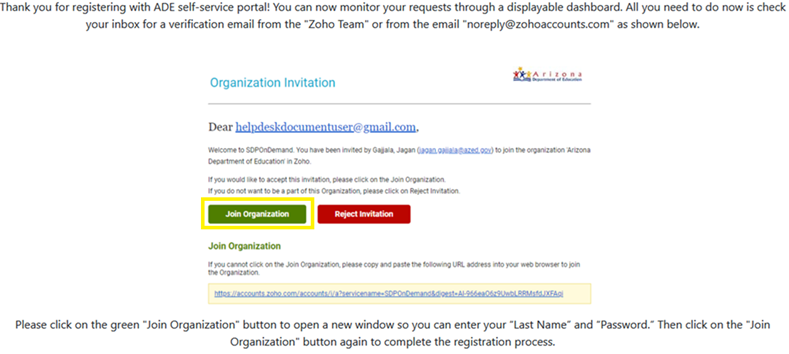
      The first time you click the link... you'll be prompted to "join organization".
       

      Guide10.png

      Guide10


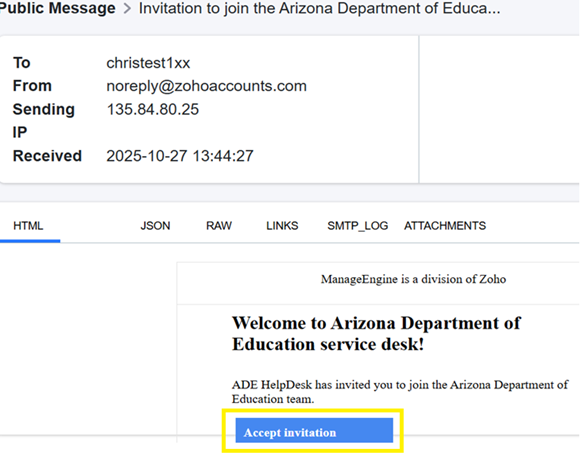
      Next, an email will be sent (from the “Zoho Team”) inviting you to “join the Arizona Department of Education”.
      When you find it, click "Accept invitation".

      Guide11.png

      Guide11


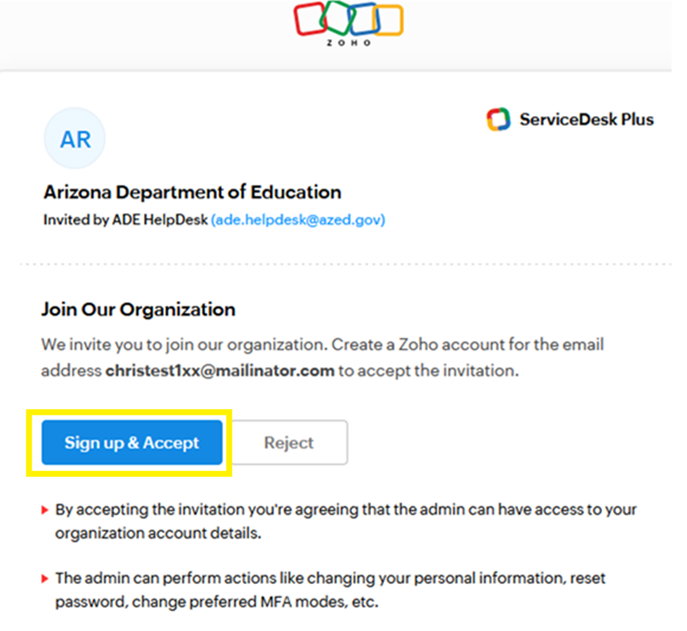
      In the page that loads, click "Sign up & Accept"

      Guide12.png

      Guide12


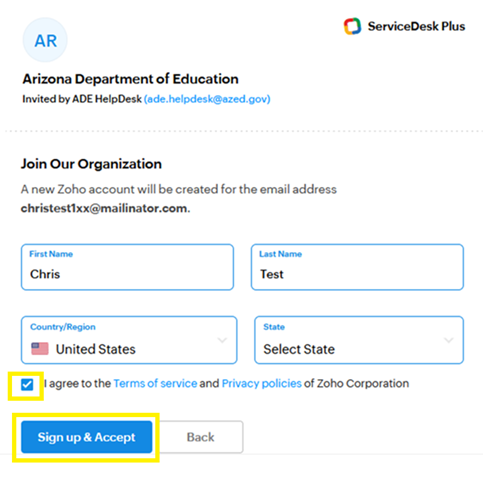
      Accept the invitation... and click "Sign up & Accept" again.

      Guide13.png

      Guide13


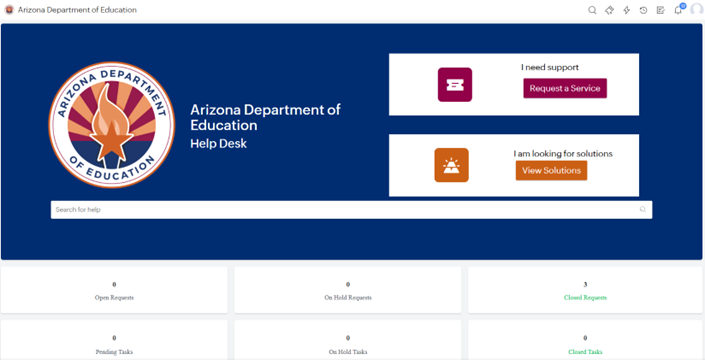
      At this point, the HelpDesk should load.

      Guide14.png

      Guide14

      After you create a Helpdesk account, you can re-access the Helpdesk by using the following (bookmarkable) link: 
      https://helpdeskexternal.azed.gov

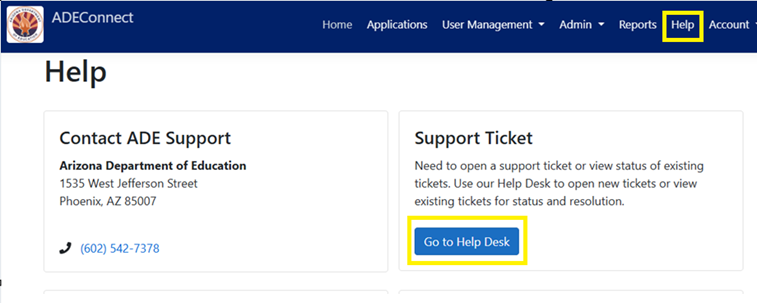
      Or, in ADEConnect – you can access the Helpdesk by clicking the “Help” link – then “Go to Help Desk”

      Guide15.png

      Guide15

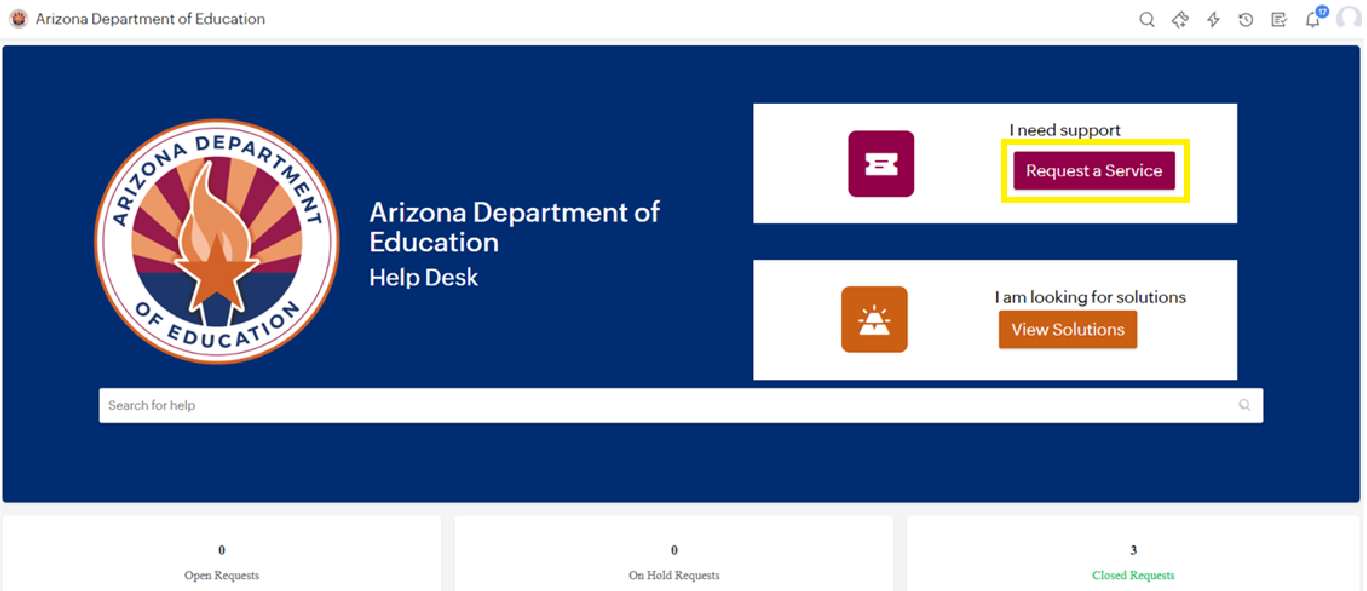
      After you log in the Helpdesk, create a Helpdesk ticket by clicking “Request a service”.

      Guide18.png

      Guide18


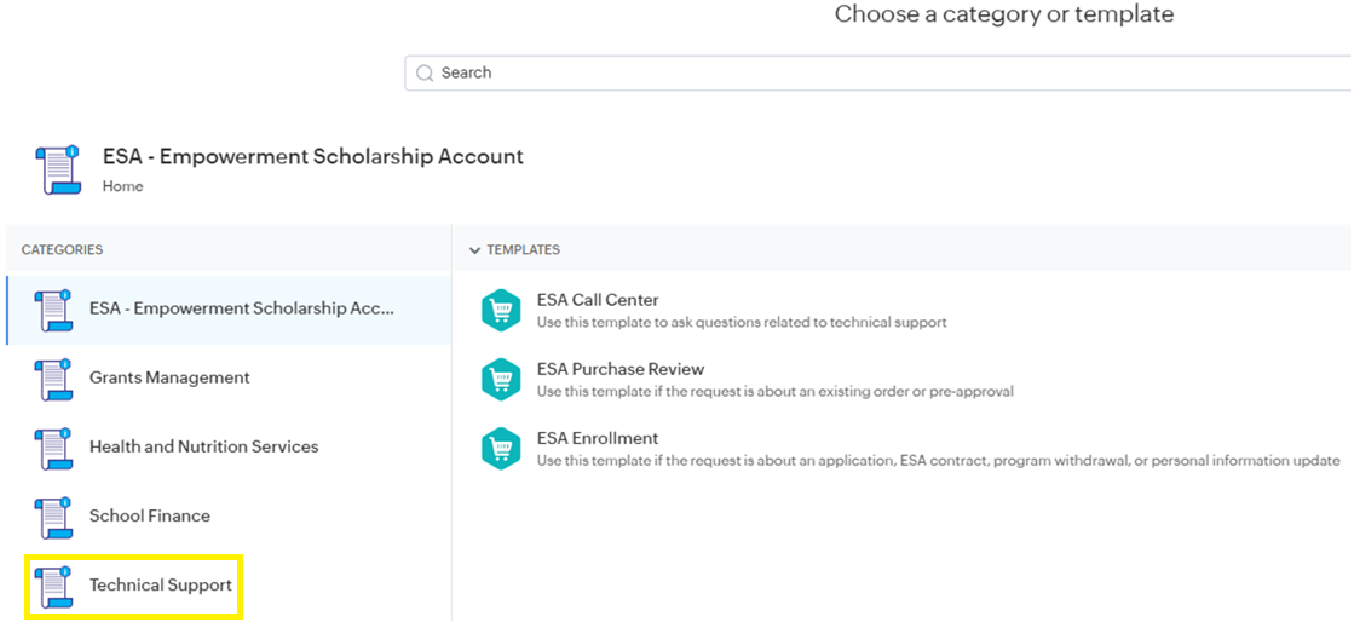
      You'll see Categories and Templates for 'ESA', 'Grants Management', 'School Finance', etc...
      For anything else, select 'Technical Support'.

      Guide19.png

      Guide19


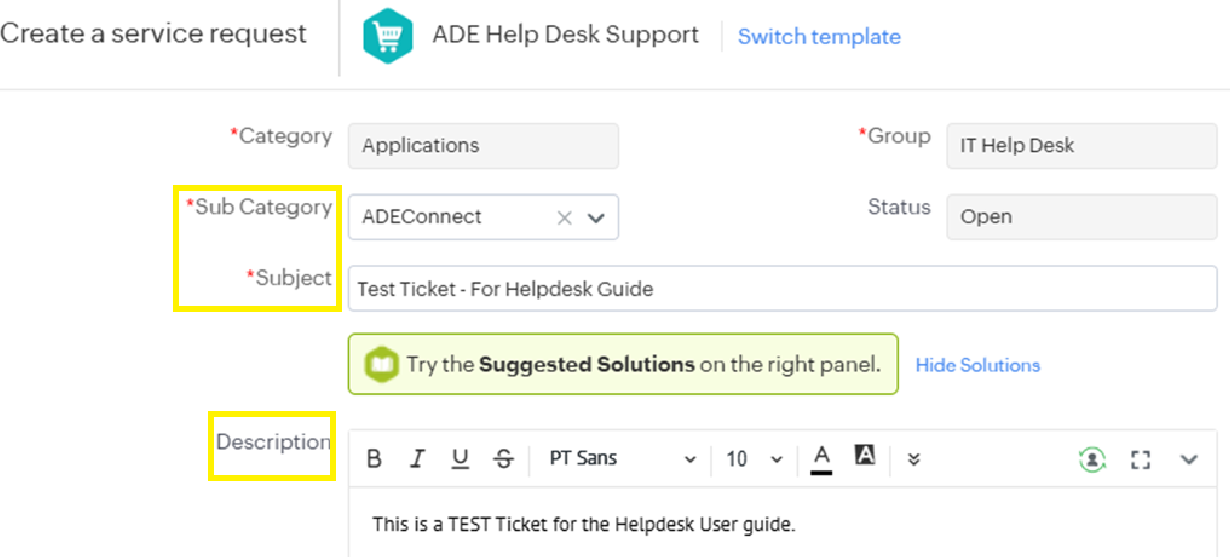
      Sekect a template and fill in the required fields then attach a screenshot (if desired) and click “Add Request”.

      Guide20.png

      Guide20


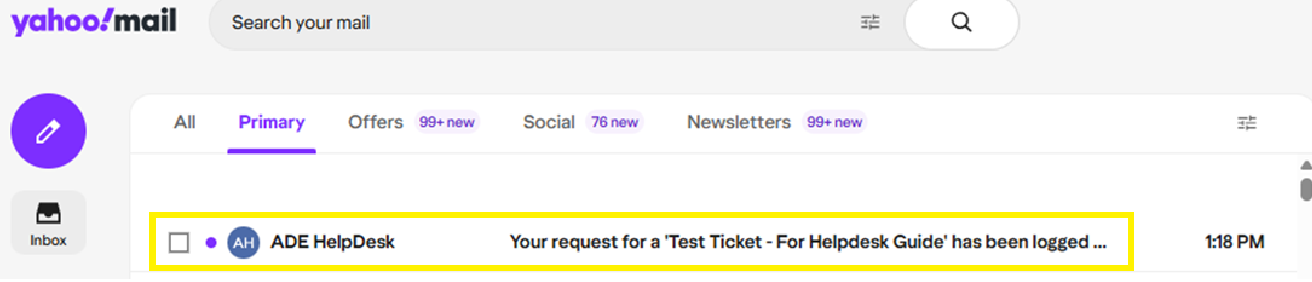
      You'll receive an email letting you know the ticket was created.

      Guide21.png

      Guide21

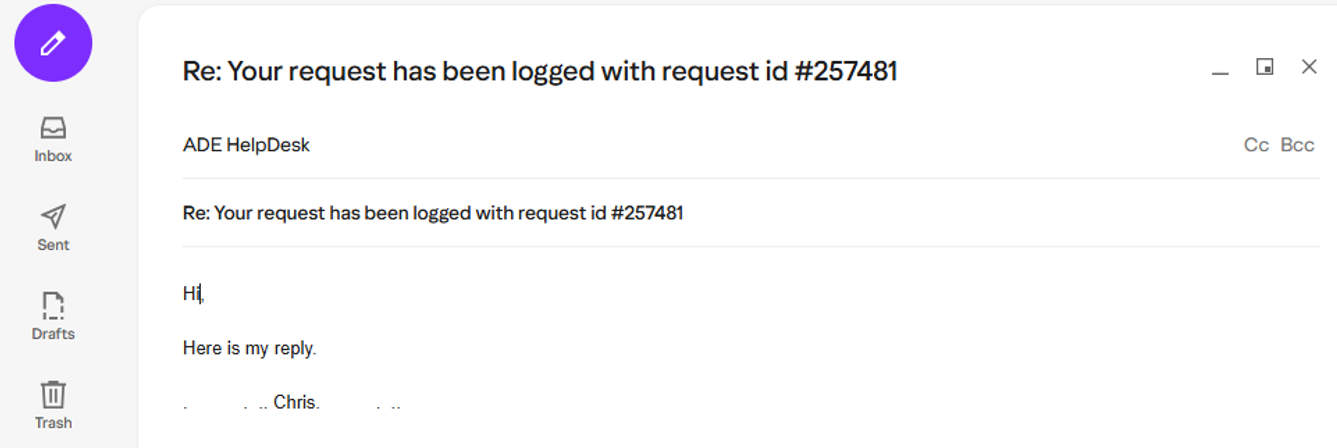
      To respond to tickets, check your email and find the most recent response, then reply to it.

      Guide22.png

      Guide22


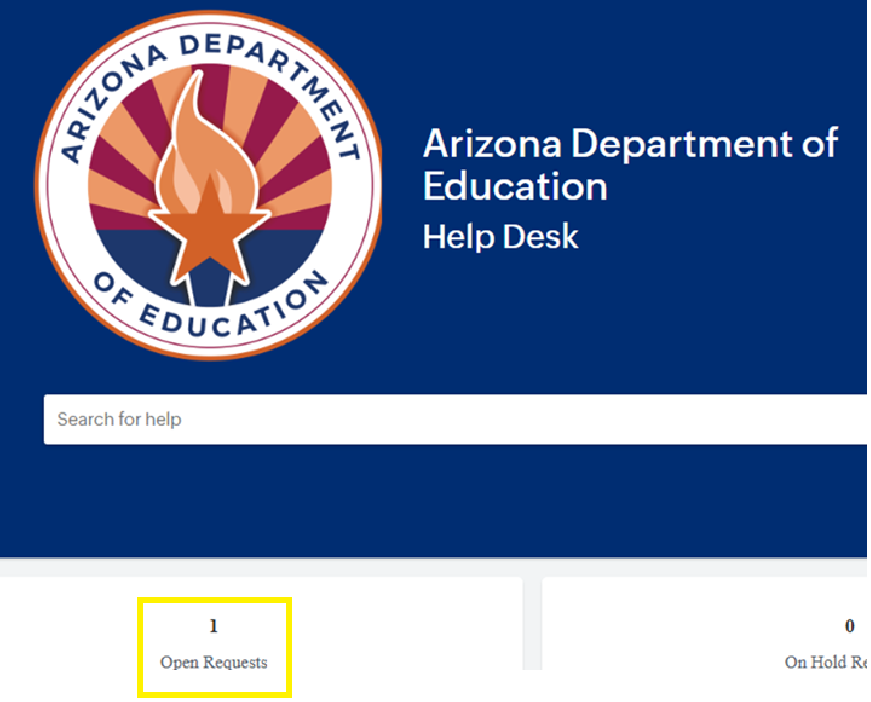
      Also, in the Helpdesk, you can view/update tickets via “Open Requests”

      Guide23.png

      Guide23

      In this case, please contact the ADE ServiceDesk team (at 602-542-7378) so they can help resolve the issue.

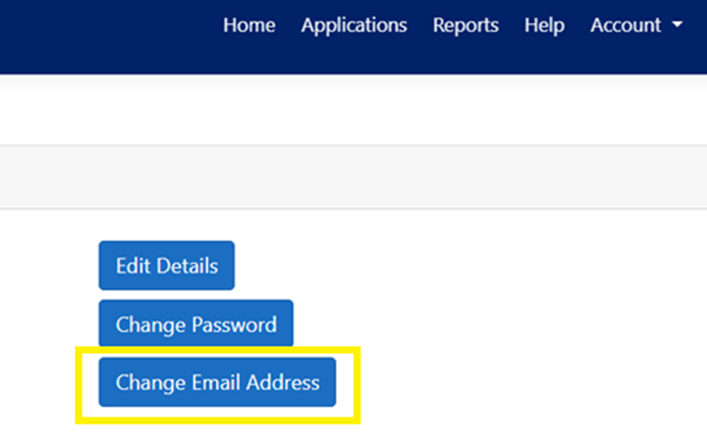
        If you ARE able to log in the HelpDesk successfully – and your email address will change in the future, you can update it in ADEConnect by going to “Account > My Profile > Change Email Address”

        Guide24.png

        Guide24


        If the email address does not get updated, contact the ADE ServiceDesk team (602-542-7378) so they can help resolve the situation.

          After you log in ADEConnect, you can access the Helpdesk by clicking the “Help” link – then “Go to Help Desk”.

          Guide25.png

          Guide25
            1.  

          If you are unable to login ADEConnect, then you can try to reset your ADEConnect password (but only if you normally use a password to login).
          The “Reset Password” link is here:
          https://adeconnectservice.azed.gov/PasswordChange/RequestPassword.aspx

          • About Us
          • Locations
          • Careers
          • Privacy Policy
          • School Report Cards
          • State Board of Education
          • State Board for Charter Schools
          • Web Accessibility

          © 2026 Arizona Department of Education

          • Statewide Policies
          • Site Map